Documentation Index
Fetch the complete documentation index at: https://wb-21fd5541-update-training-api-26.mintlify.app/llms.txt
Use this file to discover all available pages before exploring further.
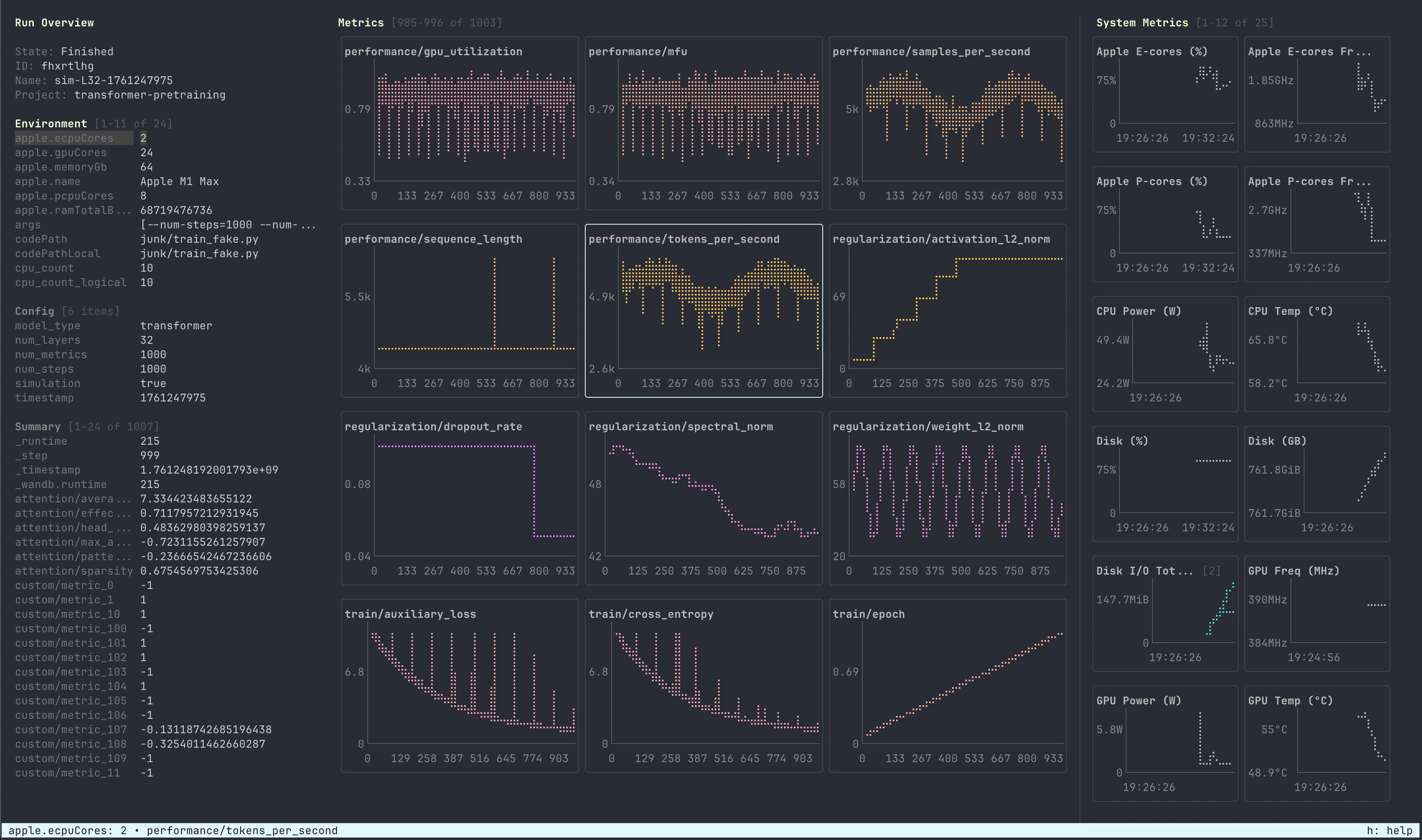
LEET is a local terminal UI for viewing a W&B run’s stats, metrics, and system health. LEET is a keyboard-driven interface designed for users who work on remote systems or HPC environments using tools like SSH or tmux.
 Key features include:
- Keyboard-first navigation: All features accessible via keyboard shortcuts
- Live updates: Monitors the
.wandb file in real-time as your run progresses
- Metric filtering: Filter metrics using glob patterns or substring matching
- Smart zooming: Mouse wheel zoom keeps the latest data points in view
- Customizable grids: Configure the number of rows and columns for metric and system displays
- Human-readable formatting: System metrics show friendly units (e.g., “GPU Utilization (%)”, “RAM Used (GB)”)
LEET provides a three-panel layout:
- Left sidebar: Run Overview showing environment variables, configuration, and summary statistics
- Center panel: Metrics grid with Braille-style line charts for logged metrics
- Right sidebar: System Metrics displaying GPU utilization, RAM, CPU, and other system health indicators
Keyboard Shortcuts
General
| Key | Description |
|---|
h, ? | Toggle this help screen |
q, ctrl+c | Quit |
alt+r | Reload run data |
Panels
| Key | Description |
|---|
[ | Toggle left sidebar with run overview |
] | Toggle right sidebar with system metrics |
l | Toggle run console logs pane |
s | Toggle system metrics pane |
Navigation
| Key | Description |
|---|
N, pgup | Navigate between chart pages |
n, pgdown | Navigate between chart pages |
alt+N, alt+pgup | Navigate between system metrics pages |
alt+n, alt+pgdown | Navigate between system metrics pages |
Charts
| Key | Description |
|---|
/ | Filter metrics by pattern (supports glob or substring matching) |
ctrl+l | Clear active filter |
\ | Toggle system metrics filtering |
Run Overview
| Key | Description |
|---|
o | Filter overview items (supports @e, @c, @s for environment/config/summary sections) |
ctrl+k | Clear overview filter |
Configuration
| Key | Description |
|---|
c | Set metrics grid columns |
r | Set metrics grid rows |
C | Set system grid columns (Shift+c) |
R | Set system grid rows (Shift+r) |
| Key | Description |
|---|
up, down | Navigate items in section |
tab, shift+tab | Switch between sections |
left, right | Navigate pages in section |
@e, @c, @s | Filter specific section (environment/config/summary) |
Mouse
| Action | Description |
|---|
mouse wheel | Zoom in/out on focused chart |
shift+mouse select | Select text |
PATH로 지정된 W&B run을 확인할 수 있는 터미널 UI입니다.
PATH에는 .wandb 파일 또는 .wandb 파일을 포함하는 run 디렉토리가 포함될 수 있습니다. PATH가 제공되지 않으면, 코맨드는 가장 최근의 run을 찾습니다.
Usage
Arguments

