Documentation Index
Fetch the complete documentation index at: https://wb-21fd5541-update-training-api-26.mintlify.app/llms.txt
Use this file to discover all available pages before exploring further.
Weave를 사용한 모델 평가
W&B Weave는 LLM 및 GenAI 애플리케이션 평가를 위해 특별히 제작된 툴킷입니다. 모델 성능을 이해하고 개선하는 데 도움이 되는 scorer, judge 및 상세 트레이싱을 포함한 포괄적인 평가 기능을 제공합니다. Weave는 W&B Models와 통합되어 Model Registry에 저장된 모델을 평가할 수 있게 해줍니다.
모델 평가의 주요 기능
- Scorers 및 judges: 정확도, 관련성, 일관성 등을 위해 미리 구축된 커스텀 평가 메트릭
- 평가 Datasets: 체계적인 평가를 위해 그라운드 트루스가 포함된 구조화된 테스트 세트
- 모델 버전 관리: 모델의 다양한 버전을 추적하고 비교
- 상세 트레이싱: 전체 입력/출력 트레이스를 통해 모델 행동 디버깅
- 비용 추적: 평가 전반에 걸친 API 비용 및 토큰 사용량 모니터링
시작하기: W&B Registry에서 모델 평가하기
W&B Models Registry에서 모델을 다운로드하고 Weave를 사용하여 평가합니다:
import weave
import wandb
from typing import Any

# Weave 초기화
weave.init("your-entity/your-project")

# W&B Registry에서 로드하는 ChatModel 정의
class ChatModel(weave.Model):
    model_name: str

    def model_post_init(self, __context):
        # W&B Models Registry에서 모델 다운로드
        with wandb.init(project="your-project", job_type="model_download") as run:
            artifact = run.use_artifact(self.model_name)
            self.model_path = artifact.download()
            # 여기서 모델을 초기화하세요

    @weave.op()
    async def predict(self, query: str) -> str:
        # 모델 추론 로직
        return self.model.generate(query)

# 평가 데이터셋 생성
dataset = weave.Dataset(name="eval_dataset", rows=[
    {"input": "What is the capital of France?", "expected": "Paris"},
    {"input": "What is 2+2?", "expected": "4"},
])

# scorer 정의
@weave.op()
def exact_match_scorer(expected: str, output: str) -> dict:
    return {"correct": expected.lower() == output.lower()}

# 평가 실행
model = ChatModel(model_name="wandb-entity/registry-name/model:version")
evaluation = weave.Evaluation(
    dataset=dataset,
    scorers=[exact_match_scorer]
)
results = await evaluation.evaluate(model)
Weave 평가와 W&B Models 통합하기
Models and Weave Integration Demo는 다음을 위한 전체 워크플로우를 보여줍니다:
- Registry에서 모델 로드: W&B Models Registry에 저장된 파인튜닝된 모델 다운로드
- 평가 파이프라인 생성: 커스텀 scorer로 포괄적인 평가 구축
- 결과를 W&B에 다시 로그: 평가 메트릭을 모델 Runs에 연결
- 평가된 모델 버전 관리: 개선된 모델을 Registry에 다시 저장
평가 결과를 Weave와 W&B Models 모두에 로그합니다:
# W&B 추적과 함께 평가 실행
with weave.attributes({"wandb-run-id": wandb.run.id}):
    summary, call = await evaluation.evaluate.call(evaluation, model)

# W&B Models에 메트릭 로그
wandb.run.log(summary)
wandb.run.config.update({
    "weave_eval_url": f"https://wandb.ai/{entity}/{project}/r/call/{call.id}"
})
고급 Weave 기능
커스텀 scorers 및 judges
유스 케이스에 맞춤화된 정교한 평가 메트릭을 만드세요:
@weave.op()
def llm_judge_scorer(expected: str, output: str, judge_model) -> dict:
    prompt = f"이 답변이 정확한가요? 예상: {expected}, 결과: {output}"
    judgment = await judge_model.predict(prompt)
    return {"judge_score": judgment}
배치 평가
여러 모델 버전 또는 설정을 평가합니다:
models = [
    ChatModel(model_name="model:v1"),
    ChatModel(model_name="model:v2"),
]

for model in models:
    results = await evaluation.evaluate(model)
    print(f"{model.model_name}: {results}")
다음 단계
Tables로 모델 평가하기
W&B Tables를 사용하여 다음을 수행하세요:
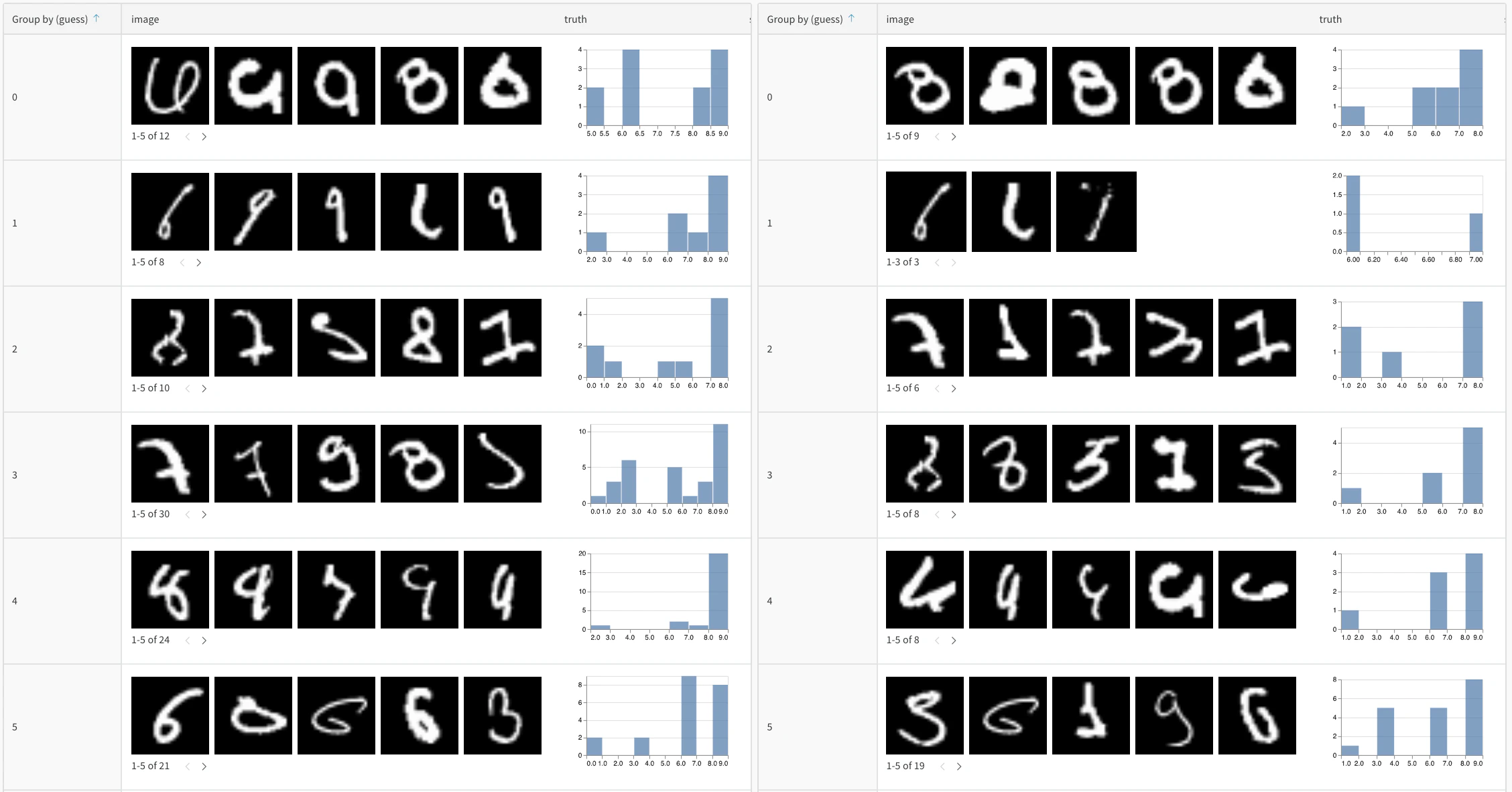
- 모델 예측값 비교: 동일한 테스트 세트에서 서로 다른 모델이 어떻게 작동하는지 나란히 비교하여 확인
- 예측 변화 추적: 트레이닝 에포크 또는 모델 버전에 따라 예측이 어떻게 진화하는지 모니터링
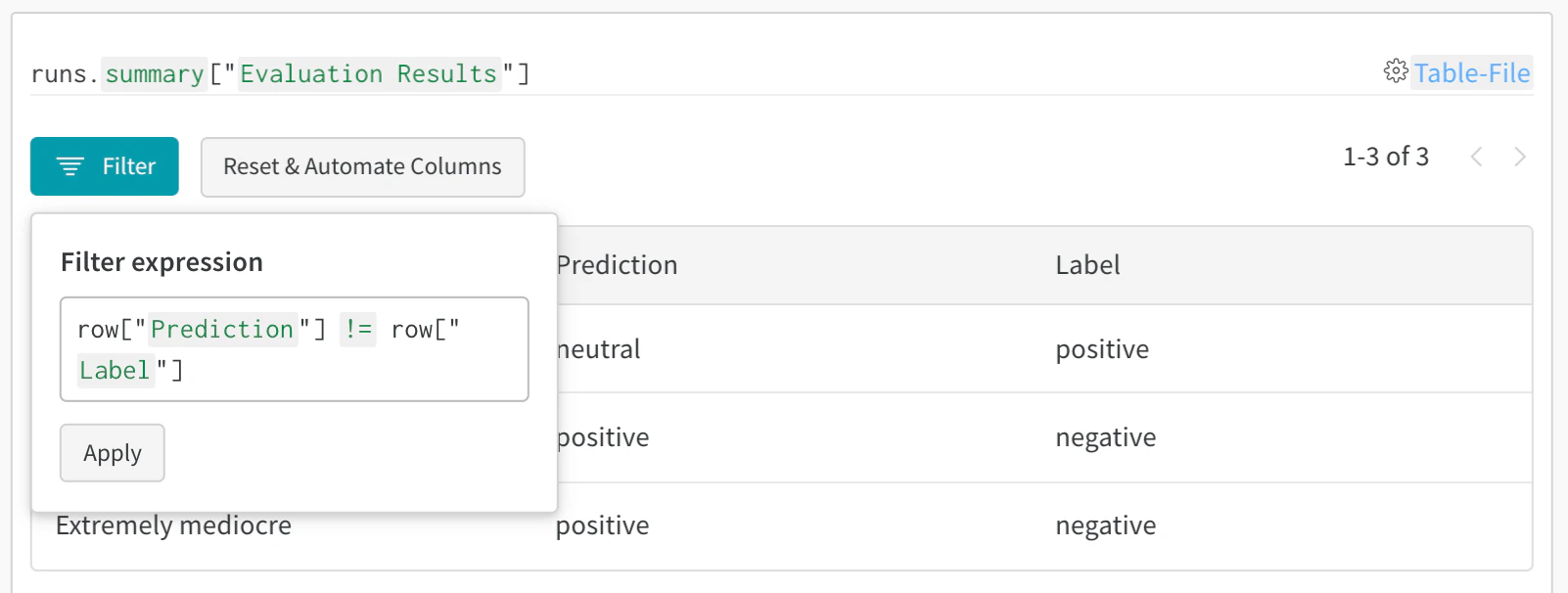
- 오류 분석: 필터링 및 쿼리를 통해 자주 잘못 분류되는 사례와 오류 패턴 찾기
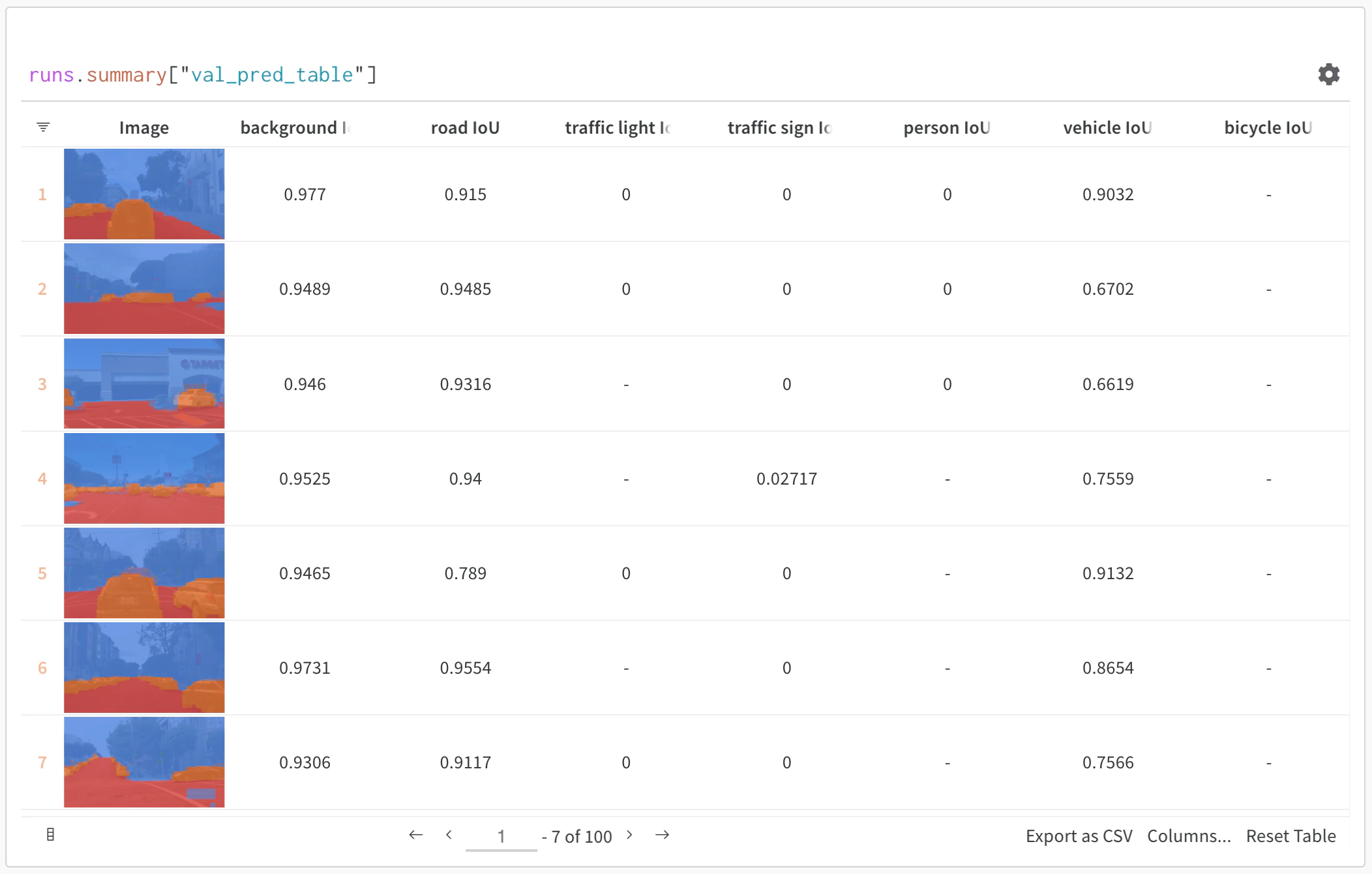
- 리치 미디어 시각화: 예측값 및 메트릭과 함께 이미지, 오디오, 텍스트 및 기타 미디어 유형 표시
기본 예시: 평가 결과 로그하기
import wandb

# run 초기화
run = wandb.init(project="model-evaluation")

# 평가 결과로 테이블 생성
columns = ["id", "input", "ground_truth", "prediction", "confidence", "correct"]
eval_table = wandb.Table(columns=columns)

# 평가 데이터 추가
for idx, (input_data, label) in enumerate(test_dataset):
    prediction = model(input_data)
    confidence = prediction.max()
    predicted_class = prediction.argmax()

    eval_table.add_data(
        idx,
        wandb.Image(input_data),  # 이미지 또는 기타 미디어 로그
        label,
        predicted_class,
        confidence,
        label == predicted_class
    )

# 테이블 로그
run.log({"evaluation_results": eval_table})
고급 테이블 워크플로우
여러 모델 비교
직접 비교를 위해 서로 다른 모델의 평가 테이블을 동일한 키로 로그합니다:
# 모델 A 평가
with wandb.init(project="model-comparison", name="model_a") as run:
    eval_table_a = create_eval_table(model_a, test_data)
    run.log({"test_predictions": eval_table_a})

# 모델 B 평가
with wandb.init(project="model-comparison", name="model_b") as run:
    eval_table_b = create_eval_table(model_b, test_data)
    run.log({"test_predictions": eval_table_b})
시간 경과에 따른 예측 추적
개선 사항을 시각화하기 위해 서로 다른 트레이닝 에포크에서 테이블을 로그합니다:
for epoch in range(num_epochs):
    train_model(model, train_data)

    # 이 에포크에 대한 예측값 평가 및 로그
    eval_table = wandb.Table(columns=["image", "truth", "prediction"])
    for image, label in test_subset:
        pred = model(image)
        eval_table.add_data(wandb.Image(image), label, pred.argmax())

    wandb.log({f"predictions_epoch_{epoch}": eval_table})
W&B UI에서 대화형 분석
로그가 완료되면 다음을 수행할 수 있습니다:
- 결과 필터링: 열 헤더를 클릭하여 예측 정확도, 신뢰도 임계값 또는 특정 클래스별로 필터링
- 테이블 비교: 여러 테이블 버전을 선택하여 나란히 비교하여 확인
- 데이터 쿼리: 쿼리 바를 사용하여 특정 패턴 찾기 (예:
"correct" = false AND "confidence" > 0.8)
- 그룹화 및 집계: 예측된 클래스별로 그룹화하여 클래스당 정확도 메트릭 확인
예시: 강화된 테이블을 통한 오류 분석
# 분석 열을 추가하기 위해 변경 가능한 테이블 생성
eval_table = wandb.Table(
    columns=["id", "image", "label", "prediction"],
    log_mode="MUTABLE"  # 나중에 열 추가 가능
)

# 초기 예측값
for idx, (img, label) in enumerate(test_data):
    pred = model(img)
    eval_table.add_data(idx, wandb.Image(img), label, pred.argmax())

run.log({"eval_analysis": eval_table})

# 오류 분석을 위해 신뢰도 점수 추가
confidences = [model(img).max() for img, _ in test_data]
eval_table.add_column("confidence", confidences)

# 오류 유형 추가
error_types = classify_errors(eval_table.get_column("label"),
                            eval_table.get_column("prediction"))
eval_table.add_column("error_type", error_types)

run.log({"eval_analysis": eval_table})