モデルタグを使用して登録済みのモデルをカテゴリーに整理し、それらのカテゴリーを検索します。Documentation Index
Fetch the complete documentation index at: https://wb-21fd5541-update-training-api-26.mintlify.app/llms.txt
Use this file to discover all available pages before exploring further.
- https://wandb.ai/registry/model で W&B モデルレジストリアプリに移動します。
-
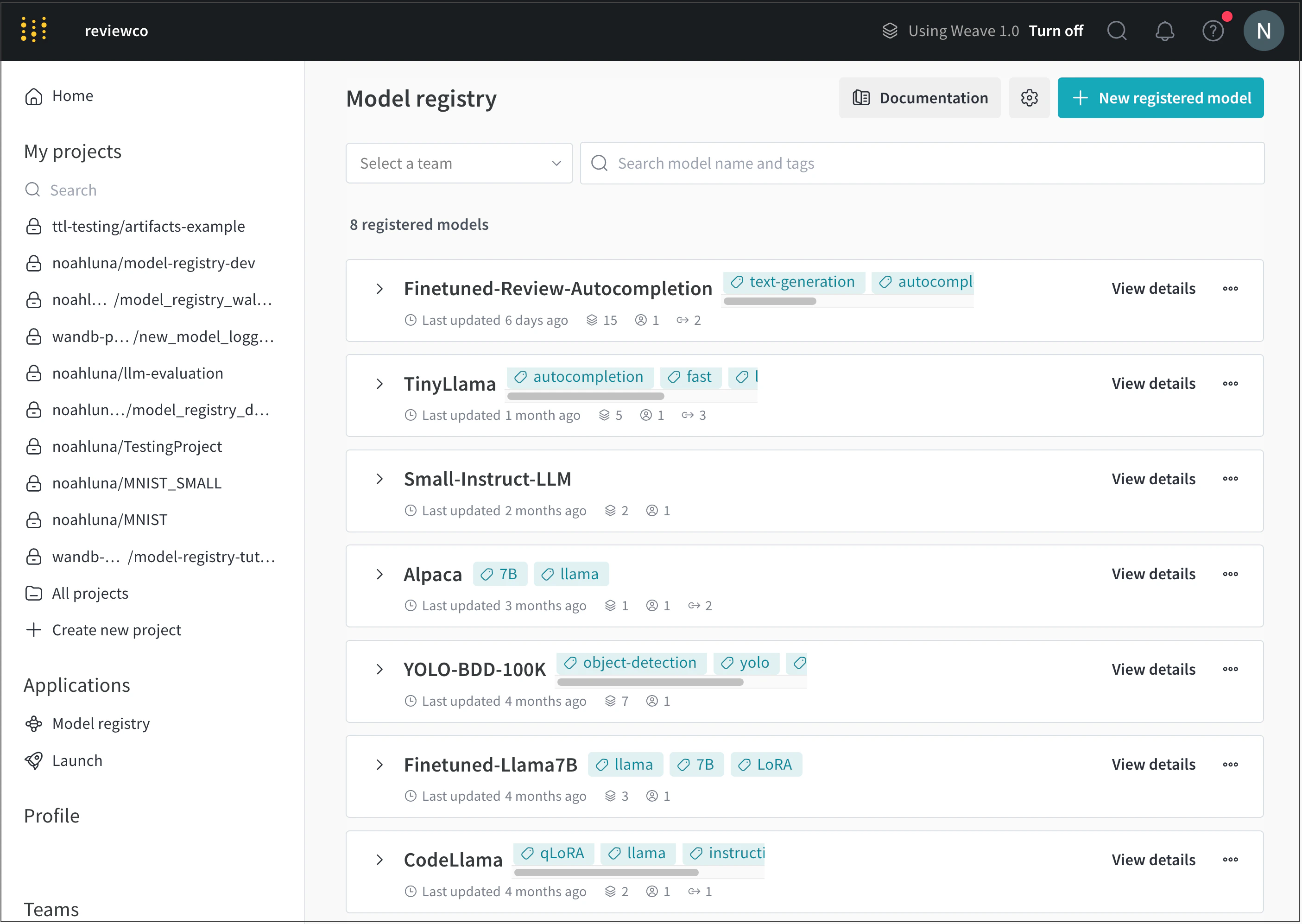
モデルタグを追加したい登録済みモデルの名前の横にある View details を選択します。
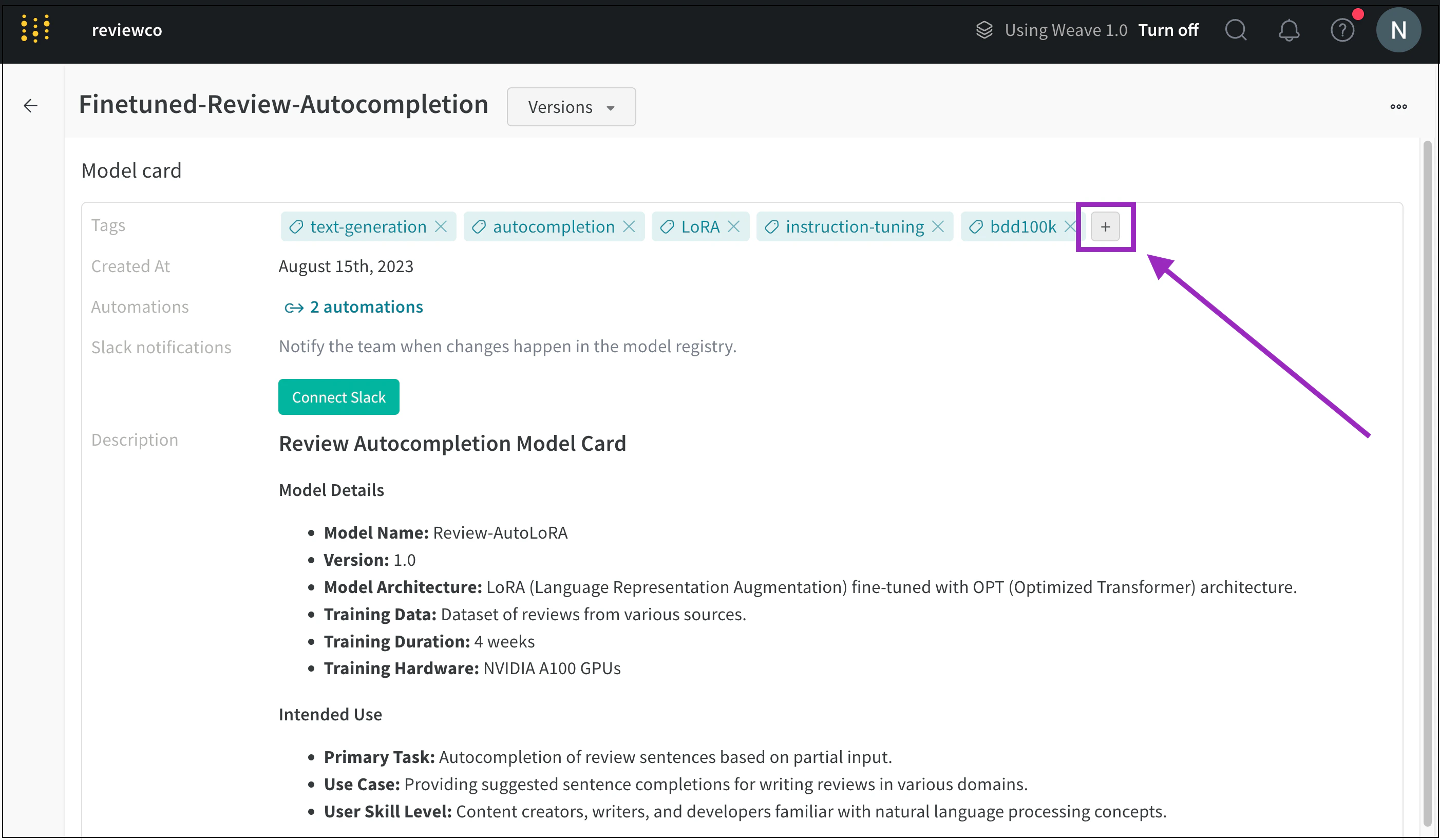
- Model card セクションまでスクロールします。
-
Tags フィールドの横にあるプラスボタン (+) をクリックします。
-
タグの名前を入力するか、既存のモデルタグを検索します。
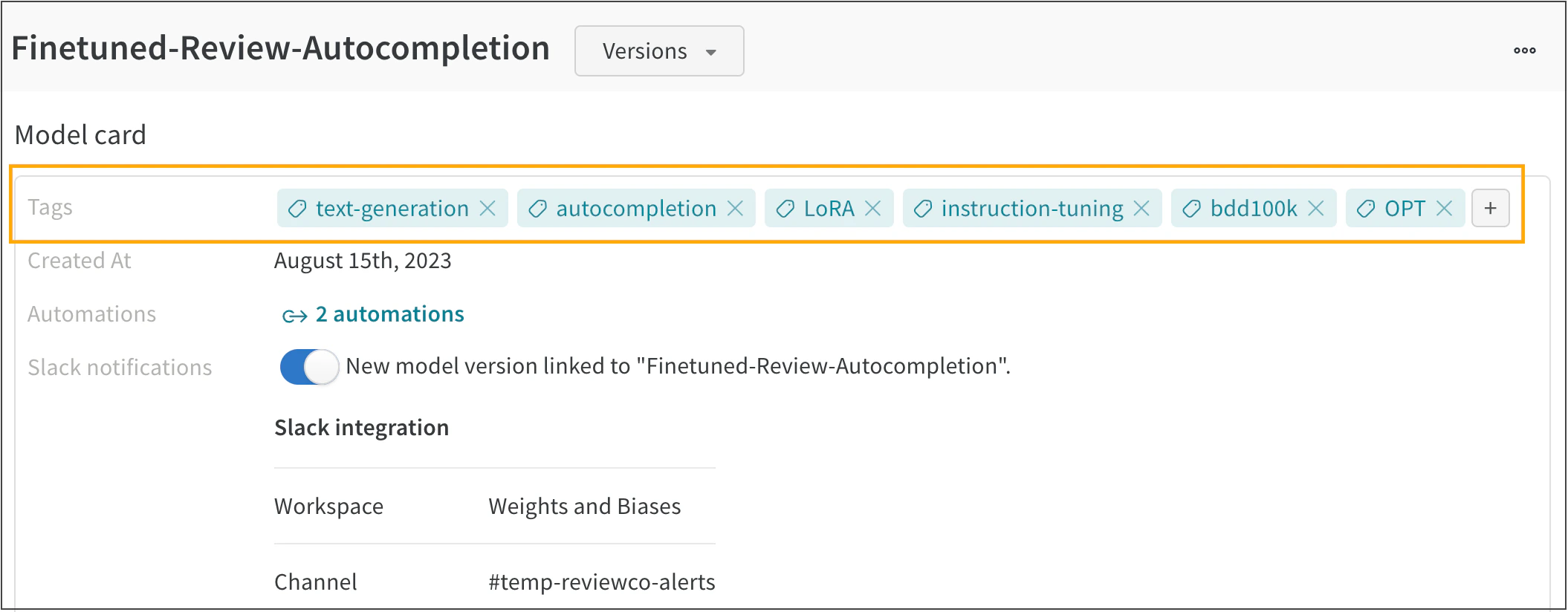
例えば、次の画像は FineTuned-Review-Autocompletion という登録済みモデルに複数のモデルタグが追加されている様子を示しています。